
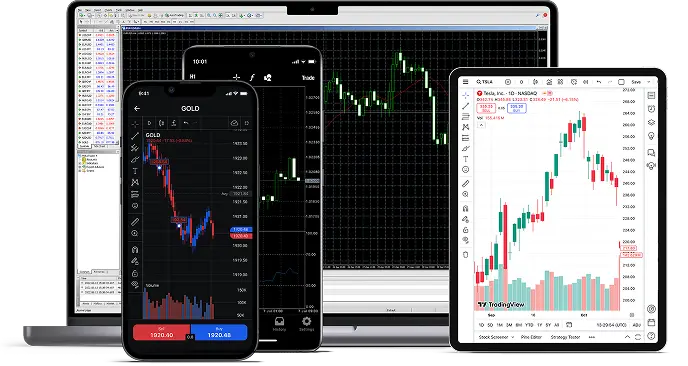


Separate independent charting from a tradable connection
TradingView is useful for chart work, but the Trading Panel reaches FxPro only through an eligible cTrader account. If you prefer TradingView charts while trading a MetaTrader account, the two are separate sessions and the panel will not carry that MT4 or MT5 login. Decide whether the priority is analysis or execution, then pick the account family that supports the connection you need rather than assuming every chart links to every account.
Read the detail · Separate independent charting from a tradable connection
To change the account behind the Trading Panel, disconnect and reconnect with the chosen account. Verify the account family before reconnecting; reconnecting the same incompatible login simply repeats the failure.
Match platform generation to the account and server
MetaTrader 4 and MetaTrader 5 are distinct platforms, and a terminal login depends on the account number, the platform generation and the broker server. A login issued for one generation will not open in the other. The proprietary FxPro WebTrader is a separate browser interface for supported FxPro MT4 and MT5 accounts, not the MetaTrader web terminal and not cTrader Web. Confirm each of these three elements before treating a failed login as a password problem.
Read the detail · Match platform generation to the account and server
Record the account number, platform generation and server name together. When support or a colleague refers to an account, these three fields identify the terminal unambiguously.
Account family and device shape the available tools
FxPro's own comparison distinguishes Standard, Raw+, Elite and cTrader, and the account actually displayed depends on the contracting entity. Commission-bearing accounts are illustrated in the global material, with the calculator describing USD 35 per USD 1 million traded per side. Treat that as a calculator input, not a per-lot rule: convert notional to USD where necessary instead of equating every lot in every currency to USD 100,000. Device also matters, since desktop, browser and mobile versions can differ in functionality.
Read the detail · Account family and device shape the available tools
Expert Advisors are supported in appropriate MetaTrader desktop environments. Before planning automation, confirm the account family, the terminal generation and the device, because a browser or mobile session may not offer the same controls.
Platform checks in Kenya and South Africa
For a Kenyan reader, the same account-selection task runs differently in the three browser interfaces. FxPro WebTrader is the proprietary browser interface for supported FxPro MT4 and MT5 accounts; MetaTrader Web is the MetaTrader browser terminal for the matching generation; cTrader Web is cTrader's own browser route. Begin by naming the account family and generation, then open the browser interface that matches it. For a South African reader, the desktop and browser split matters more: cTrader offers Windows and Mac downloads, while MetaTrader desktop and browser versions can differ in functionality. Confirm the terminal and device before logging in.
Read the detail · Platform checks in Kenya and South Africa
A Kenyan licence or a South African FSP number is not established by this research. Check the exact contracting entity, permissions and product in the FSCA lookup or the Kenya CMA directory rather than inferring coverage from a brand name; a group offshore licence is not evidence of a local one. Do not assume KES funding, M-Pesa or a particular payment route from residence alone.
Questions and answers
Can I use TradingView to trade an MT4 or MT5 account?
The TradingView Trading Panel connects through an eligible FxPro cTrader account. It does not operate as a bridge for MetaTrader logins. Keep charting and execution separate unless the account behind the panel is an eligible cTrader account, and reconnect after switching accounts.
Why does my MetaTrader login fail in MT5?
Check the account number, platform generation and broker server together. MT4 and MT5 are distinct platforms, and a login issued for one generation will not open in the other. Confirm the account record before treating the refusal as a credential or password fault.
How long should I wait before querying a withdrawal?
Payment timing belongs to the Wallet, not the platform. For bank transfer, the help centre gives a 5-working-day inquiry threshold where a SWIFT copy applies; for cards, 10 working days where an ARN applies. These are thresholds for raising an inquiry, not settlement guarantees. Use the Wallet history export to collect the transaction reference and date first, and confirm the route and currency in the Wallet rather than assuming them from residence.
Primary sources
- Account and platform comparison · www.fxpro.com
- MetaTrader 4 · www.fxpro.com
- MetaTrader 5 · www.fxpro.com
- cTrader · www.fxpro.com
- FxPro WebTrader · www.fxpro.com
- TradingView integration · www.fxpro.com
- Official help centre · www.fxpro.com
- FSCA search for authorised providers · www.fsca.co.za
- CMA Kenya licensee directory · licensees.cma.or.ke
- FxPro: tracing withdrawal problems · www.fxpro.com
- FxPro cTrader commission calculation · www.fxpro.com